I Switched to the Archer Ax10 and Here is What Happened
Introduction
When a household reaches the point of having smartphones, laptops, a streaming stick, a few smart home devices, and an unpredictable guest list of bandwidth-hungry visitors, the router in the closet starts to feel like the weak link. The Archer Ax10 (often sold under the TP‑Link Archer AX10 name) arrived in this context: a budget-priced Wi‑Fi 6 router promising modern wireless features without a premium tag. This article examines the experience of switching to the AX10 — from unboxing and setup to real‑world performance, limitations, and whether it makes sense for different buyers.
Product overview: What the Archer Ax10 is
The Archer Ax10 is an entry-level Wi‑Fi 6 (802.11ax) router positioned at buyers who want better performance than older AC routers without a large investment. It’s a dual‑band router that combines a 2.4 GHz band (good range, lower throughput) and a 5 GHz band (higher throughput, shorter range) under a single device. The AX1500 label used by many retailers represents the theoretical combined maximum throughput across both bands — a convenient shorthand that helps place the AX10 in the budget Wi‑Fi 6 tier.
Key characteristics that shape the user experience include:
- Wi‑Fi 6 features (OFDMA, MU‑MIMO, target wake time) designed to improve efficiency with many devices.
- Dual‑band operation so the router serves both legacy and modern devices.
- Gigabit WAN port and multiple Gigabit LAN ports for wired devices.
- Simple management through a mobile app and a web interface aimed at mainstream consumers.
- Budget positioning, which means some high‑end extras — full‑blown advanced settings, extensive QoS profiles, or built‑in USB file sharing — can be limited or absent.
Unboxing and initial setup
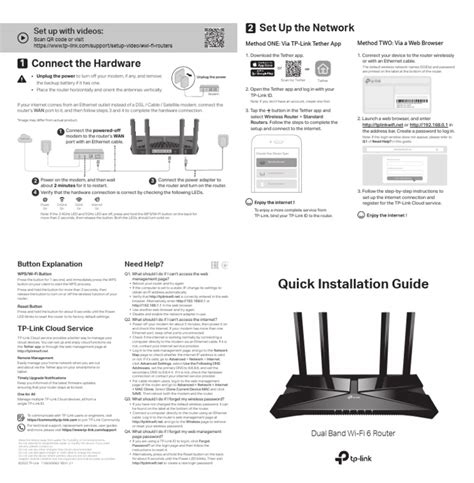
Switching to the AX10 begins like most home‑router swaps: unplug the old router, plug the AX10 into the modem, and walk through the setup. The reviewer found the initial process straightforward. The device boots quickly, the Tether mobile app recognized the router and guided through WAN configuration, and a basic firmware check happened during setup. For non‑technical users, the app offers clear prompts to set an admin password, SSID names, and a Wi‑Fi password.
For users who prefer a browser, the web UI provides the same baseline controls: network naming, password changes, guest network toggle, and basic parental controls. There are no multi‑page wizards for advanced VLANs or enterprise RADIUS configuration — this router is meant to get a household online quickly.
First impressions
Physically, the AX10 is compact with several external antennas. It’s easy to place on a shelf or mount on a wall. The small footprint and unobtrusive LED layout make it a practical replacement for older, bulkier routers. The setup took less than 15 minutes from box to connected devices in most cases.
Daily performance and real‑world testing
Performance matters more than specs in day‑to‑day life. The important questions: does video stream without buffering, do video calls hold up, and can the household share bandwidth without the router choking?
Across several days of testing in a 900–1,200 sq ft apartment that has thick interior walls and an open living/kitchen area, the AX10 delivered these practical outcomes:
Looking for the best Electronics deals on Amazon?
Browse Now →- Streaming: Multiple simultaneous 1080p streams and one 4K stream were stable on the 5 GHz band. Occasional bitrate drops occurred only when the client device moved far from the router or when a microwave/other interference increased.
- Video calls: Video meetings (Zoom/Teams) sustained stable uplink and downlink for small group calls from the living room. The router handled a mix of wired and wireless devices without sudden disconnects.
- Gaming: For console and casual gaming, wired connections to the LAN ports offered the best experience. Wireless gaming on a Wi‑Fi 6 laptop or console was solid for casual play, but competitive gamers with tight latency requirements may still prefer a higher‑tier router or dedicated wired connections.
- Smart home devices: A dozen IoT devices on the 2.4 GHz band (lights, plugs, sensors) coexisted without causing notable disruption to the 5 GHz activity thanks to Wi‑Fi 6’s improved device coordination.
In practical throughput checks, real‑world numbers depend on the client hardware and the ISP speed. With a modern Wi‑Fi 6 laptop approximately 5 meters from the router (line‑of‑sight was partially obstructed), sustained downloads were routinely in the mid‑hundreds of Mbps — sufficient to saturate typical midrange broadband plans. Performance fell predictably with distance and obstructions; the AX10 performs best in small to medium homes and can struggle to fully blanket multi‑story houses without additional hardware (range extenders or mesh nodes).
Firmware, app features, and security
The management experience is intentionally user‑friendly. The Tether app supports basic monitoring, guest network creation, parental controls (scheduling and simple device grouping), and firmware updates. The web UI exposes a few additional settings — port forwarding, static IP leases, and simple QoS — but it’s not a router aimed at networking hobbyists who want granular control.
Security features include password‑protected admin access and standard WPA2/WPA3 compatibility on many current firmware versions depending on the region. It’s advisable to check for firmware updates during setup because TP‑Link periodically improves stability and adds features.
Range and placement considerations
Physical placement matters with any router and the AX10 is no exception. It benefits from central placement in the home and avoiding enclosed cabinets. In rooms separated by thick masonry, the 2.4 GHz band helps maintain a connection but at lower throughput. For larger homes, the reviewer recommends either pairing the AX10 with a dedicated extender or considering a mesh system designed for whole‑home coverage. The AX10 is ideal for small single‑level apartments or as a primary router in a secondary apartment/office.
What buyers typically care about — and how the AX10 measures up
When people shop for routers, common priorities include speed, reliable coverage, security, ease of setup, and price. The Archer Ax10 positions itself as a cost‑effective way to gain Wi‑Fi 6 benefits without a large spend. Here is how it maps to typical buyer priorities:
- Speed: Offers a meaningful upgrade over older AC routers for compatible devices, especially in dense device environments due to Wi‑Fi 6 efficiency improvements.
- Coverage: Good for small to medium living spaces; less effective alone for large houses.
- Security: Basic security and update paths — suitable for most households, but enterprises or security‑conscious users may want more advanced options.
- Ease of use: Setup is straightforward; the app removes most friction for average users.
- Value: Competitive price for an entry Wi‑Fi 6 router; good value if the household has devices that can benefit from Wi‑Fi 6.
Pros & Cons
- Pros
- Affordable entry to Wi‑Fi 6 — modern features at a budget price.
- Simple and fast setup via app and web interface.
- Improved efficiency with many devices thanks to OFDMA/MU‑MIMO.
- Compact design and multiple Gigabit LAN ports for wired devices.
- Reliable day‑to‑day streaming and video calls in small to medium homes.
- Cons
- Coverage can be limited in larger or multi‑story homes — may require extenders or mesh nodes.
- Advanced networking features and customization are limited compared to higher‑end routers.
- Power users may miss features like robust QoS presets, VLANs, or built‑in USB file sharing.
- Performance depends heavily on client hardware — older devices won’t see the full benefit of Wi‑Fi 6.
Comparison: Archer Ax10 vs alternatives
To put the AX10 in context, here is a simple comparison with two plausible alternatives a buyer might consider: an older AC budget router (Archer A7) and a slightly more capable Wi‑Fi 6 model (Archer AX20). The table highlights practical differences that influence buying decisions.
| Model | Wireless Standard | Target Use | Strengths | Trade‑offs |
|---|---|---|---|---|
| Archer AX10 | Wi‑Fi 6 (802.11ax) | Budget Wi‑Fi 6 upgrade for small/medium homes | Modern efficiency, affordable, solid streaming performance | Limited advanced settings, weaker range in large homes |
| Archer A7 (AC1750) | Wi‑Fi 5 (802.11ac) | Budget buyers who need basic broadband coverage | Proven track record, good coverage, inexpensive | No Wi‑Fi 6 features, less efficient with many devices |
| Archer AX20 | Wi‑Fi 6 (802.11ax) | Users needing stronger home coverage and higher throughput | Better range and performance, more advanced features | Higher price, slightly larger footprint |
Buying guide: Is the Archer Ax10 right for the reader?
Choosing the right router depends on the home, devices, and internet plan. Below are factors shoppers should consider and how the AX10 fits typical scenarios.
1. How big is the home?
If the home is a studio, one‑bedroom, or small two‑bedroom apartment, the AX10 is typically adequate. For larger multi‑story dwellings, plan for either a mesh system or additional extenders; a single AX10 may leave dead zones.
2. How many devices are on the network?
Wi‑Fi 6 yields the most benefit when many devices need attention at once (multiple phones, TVs, smart speakers, cameras). For households with 10–20 devices, the AX10’s improved efficiency reduces congestion compared to older AC routers.
Find top-rated Electronics products at great prices.
View Offers →3. What is the internet plan?
If the ISP plan is under ~300–400 Mbps, the AX10 will likely deliver most of that bandwidth to a nearby Wi‑Fi 6 client. For multi‑gigabit plans, users should consider higher‑tier hardware and wired connections to get full performance.
4. Are there advanced networking needs?
Homes that need VLANs, advanced QoS, enterprise VPNs, or heavy custom routing will find the AX10 limited. For straightforward home use, it’s fine. Tech enthusiasts or prosumers should look to mid‑range or high‑end routers.
5. Does one want long‑term firmware support?
TP‑Link generally provides firmware updates for popular consumer routers, but long‑term support varies. Buyers who prioritize security and frequent feature updates should confirm the vendor’s update cadence and look for a model with an active update history.
6. App vs web control preference
If the user wants quick mobile management and occasional basic adjustments, the included app is convenient. If they prefer deep control via a web interface or third‑party firmware support, check the model’s compatibility and available settings before buying.
Real‑world use cases where the AX10 makes sense
- Small household streaming and remote work: Families or roommates who stream HD video, participate in daily video calls, and use multiple phones and laptops benefit from Wi‑Fi 6 efficiency.
- Apartment dwellers upgrading from older routers: Moving from a 5‑year‑old AC router to the AX10 brings tangible improvements for modern devices without a major budget impact.
- Secondary or vacation home: The AX10 is a compact, affordable router suitable as a primary device in a small second residence or as a replacement for an old router in a rental.
When to look elsewhere
If the household has a gigabit-plus internet plan, large home coverage needs, or advanced networking demands (deep parental controls, business VPNs, multi‑gig wired LAN), the AX10’s price makes it tempting but its limitations suggest investing a bit more in a higher‑spec router or mesh system.
Conclusion
Switching to the Archer Ax10 provides a straightforward path to Wi‑Fi 6 for households that want improved efficiency, better multi‑device handling, and modern wireless features without a big investment. In small to medium spaces with a mix of streaming, video calls, and smart devices, the AX10 delivers an appreciable upgrade over older models. It’s quick to set up, stable in day‑to‑day use, and represents strong value for its target audience.
However, it’s not a universal answer: coverage and advanced feature limitations mean the AX10 is best viewed as a budget‑friendly, practical router rather than a full replacement for higher‑end or mesh solutions. Buyers should match the router to their home size, device mix, and expectations: for many users, the Archer Ax10 will be a welcome, pragmatic improvement — but those with very large homes or demanding networking needs should plan on a more capable model or a mesh kit.